


| DSP Blockset | Search Help Desk |
| User-Defined Frame Scope | Examples See Also |
Library
DSP SinksDescription
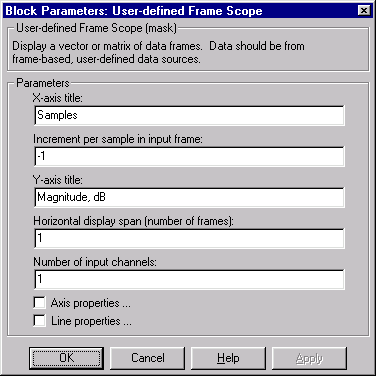
The User-Defined Frame Scope block is similar to the Time Frame Scope, but is not limited to plotting time-domain data. For a complete discussion of this block's axis properties, line properties, scope window, and frame-based operation, see the Time Frame Scope block reference. The block does not make any assumptions about the nature of the data in the input frame. In particular, it does not assume that it is time-domain or frequency-domain data. The dialog box parameters give you complete freedom to plot the data in the most appropriate manner. The scope updates the display for each new input frame. At any one time, the number of sequential frames displayed on the scope specified by the Horizontal display span parameter, S. Setting S=1 plots the current input frame's data across the entire width of the scope. Setting S to a larger number allows you to see a broader section of the input by fitting more frames of data into the display region. A single frame is the smallest unit that can be displayed, so S cannot be less than 1. In order to correctly scale the horizontal axis, the block needs to know the spacing of the data in the input. This is specified by the Increment per sample in input frame parameter, Is, which represents the numerical interval between adjacent x-axis points corresponding to the input data. For example, an input signal sampled at 500 Hz has an increment per sample of 0.002 seconds. The actual units of this interval (seconds, meters, Volts, etc.) are not needed for axis scaling. A value of-1 for this parameter instructs the block to compute the horizontal interval between samples in the input frame from the frame period of the input. For example, if the input frame period is 1, and there are 64 samples per input frame, the interval between samples is computed to be 1/64. Allowing the block to auto-compute the interval this way is usually only valid if:
and
Dialog Box
Examples
One possible application of the User-Defined Frame Scope is plotting the histogram distribution of a signal. For example, the simple model below lets you view a histogram computed over sections of themtlb signal.
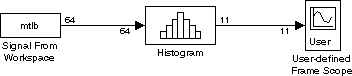 The block parameters are set as follows:
mtlb
0.1
64
-3
3.1
11


Value
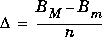
(3.1+3)/11
Normalized # of Occurrences
1
1

load mtlband set the Stop time parameter in the Simulation Parameters dialog box to
1000 (select Parameters from the Simulation menu).
Start the simulation. After a moment you should see the scope window below appear and update until the end of the simulation.
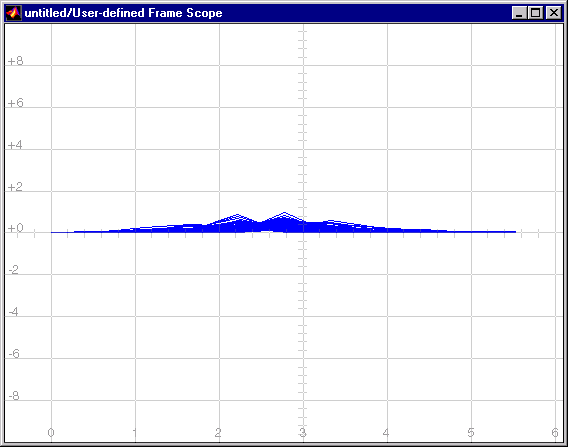 Right-click with the mouse and select Autoscale to better fit the data to the scope window. Run the simulation again. You should see the scope below. Deselect Axis zoom from the right-click menu to see the axis titles.
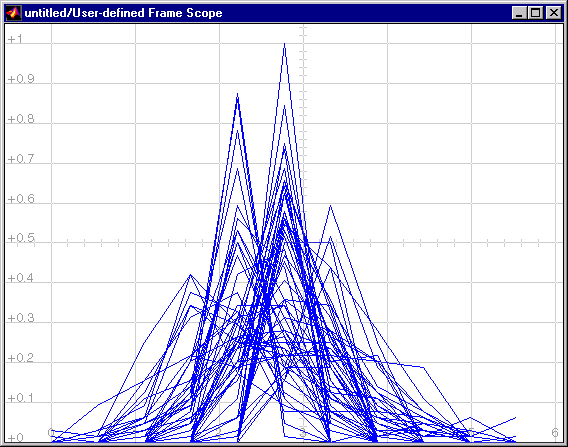 Note that although the spacing of the bins is correct, the bin values are not. This is because the first bin is placed at zero by default. The actual bin centers are located at

[-2.72,-2.17,-1.61,-1.06,-0.50,0.05,0.60,1.16,1.71,2.27,2.82]
See Also
FFT Frame Scope