| Report Generator | Search Help Desk |
| Logical and Flow Components |
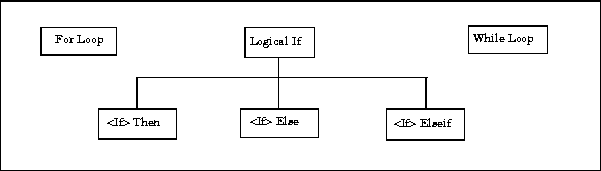 For Loop.
This component iteratively runs its child components. The For Loop component must have at least one child. The purpose of this component is to run its children several times. If it does not have any children, then this component does not add anything to the report.
While Loop.
This component loops while a workspace expression is true. This component runs its subcomponents until its conditional string is true. The number of repetitions can be limited to prevent infinite loops. Similar to the For Loop component, the While Loop component must have at least one child. If it does not have any children, then this component does not add anything to the report.
The "If" Family.
There are three possible ways in which you can use the "If" family components.
For Loop.
This component iteratively runs its child components. The For Loop component must have at least one child. The purpose of this component is to run its children several times. If it does not have any children, then this component does not add anything to the report.
While Loop.
This component loops while a workspace expression is true. This component runs its subcomponents until its conditional string is true. The number of repetitions can be limited to prevent infinite loops. Similar to the For Loop component, the While Loop component must have at least one child. If it does not have any children, then this component does not add anything to the report.
The "If" Family.
There are three possible ways in which you can use the "If" family components.| Components Used |
Appearance in the Outline |
How the Components Execute |
| Logical If |
if |
|
| Logical If, <if> then, <if> else |
if
|
|
| Logical If, <if> then, <if> elseif, <if> else |
if
... |
then, else, elseif) will actually execute.
|