| Report Generator | Search Help Desk |
| Handle Graphics Parameter |
Category
Handle GraphicsDescription
The Handle Graphics Parameter component inserts a singleAttributes
This is the Handle Graphics Parameter attribute page.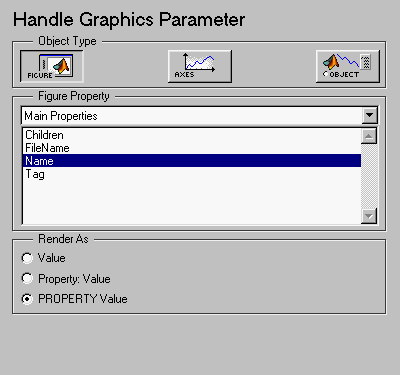 Note:
Note:
Object Type
Select a Handle Graphics object to report on:Figure Property
Choose the type of property you want to include from the drop box in this section. All shows every parameter for the current object. Select the property you want to include in the report from the list box in this section.Render As
Select one of the three options listed below to control how the Handle Graphics object name displays in the report:Tag and the value of the property is red, only red is displayed)
Tag: Red
Red)
Insert anything into report?
Yes. Text.Filename
chgproperty