| Report Generator | Search Help Desk |
| Graphics Object Name |
Category
Handle GraphicsDescription
The Graphics Object Name component inserts the name of a Handle Graphics object as text into the report. You can use this component to create a section title based on the current figure. First, make sure that this component is the first subcomponent of a Chapter/Subsection component. Then select the Get title from first subcomponent option in the Chapter/Subsection component.Attributes
This is the Graphics Object Name attribute page.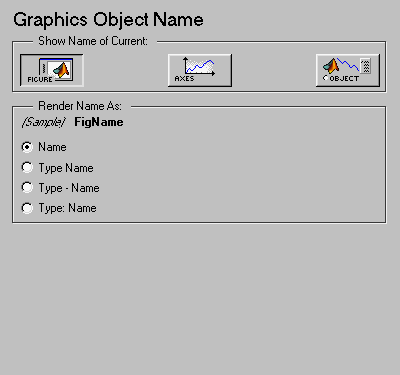
Show Name of Current:
Select Figure to show the name of the current Handle Graphics figure. The name of the current figure comes from the first nonempty figure parameter in the following order:Name
Tag
FileName
Handle
Title
Xlabel
Ylabel
Zlabel
Tag
Handle
CurrentObject parameter and its first nonempty figure parameter in the following order:
uicontrol
String
Style
Handle
uimenu
Label
Accelerator
Tag
Handle
uicontextmenu, image, light, line, patch, or surface
Tag
Handle
text
String
Tag
Handle
CurrentObject parameter.
Render Name As:
Name)
Axes Name)
Axes - Name)
Axes: Name)
Insert anything into report?
Yes. Text.Filename
chgobjname