| Report Generator | Search Help Desk |
| For Loop |
Category
Logical and FlowDescription
The For Loop component iteratively executes its subcomponents and must have at least one subcomponent to execute properly. This component functions like thefor loop in MATLAB, except that instead of executing a statement, it executes its subcomponents while the following loop is active.
for varname=x:y:z
varname must be a string that is valid as a variable name. x, y, z can be scalar numbers or workspace expressions that are evaluated in the workspace as scalar numbers. If any one of these is a string that cannot be evaluated as a scalar number, then the For Loop will not execute.
For example, if red is a workspace variable, the following is a valid for statement:
for i=1:1:length(red)
length(red) is 3, which is a scalar number.
Attributes
This is the For Loop attribute page.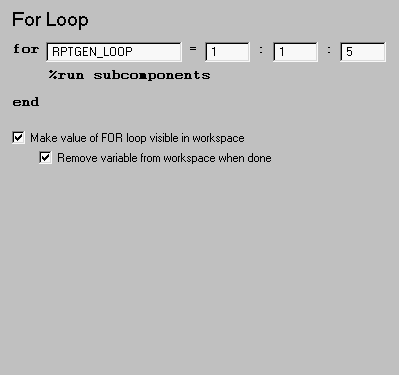 Note:
Note:
varname (as explained above) in the first field, and x:y:z (see above) in the next three fields.FOR loop variable) in the workspace while other components are executing.Insert anything into report?
No.Filename
clofor