Component
<if> Elseif
Category
Logical and Flow
Description
The <if> Elseif component acts as an elseif when it is the child of the Logical If component. You must use this component in this format:
if
    then
    elseif
    elseif
       .
       .
       .
    else
For an explanation of how the above case executes, see the introduction to Logical and Flow Components at the beginning of this section.
Attributes
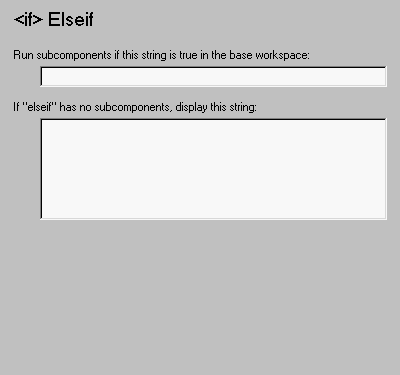
This is the <if> Elseif attribute page.
 Note:
Note:
To view a component attribute page in the Setup File Editor, select the component in the setup file outline on the left and click on the Options tab. If the component is not in the setup file outline, you must add it to the outline first. See Chapter 4 for a discussion on how to add a component to the outline.
- Run subcomponents if this string is true in the base workspace:
- When the statement in this field is true, the <if> Elseif's subcomponents execute.
- If "elseif" has no subcomponents, display this string:
- When the <if> Elseif component has no subcomponents, the string in this field is printed in the report. In this case, this component acts like the Text component.
Insert anything into report?
Yes, only when parent if statement is false.
Filename
cloelseif
[ Previous | Help Desk | Next ]