
100 rows.1.| DSP Blockset | Search Help Desk |
| Triggered Signal To Workspace | See Also |
Write the input sample to the workspace when triggered.
Library
DSP SinksDescription
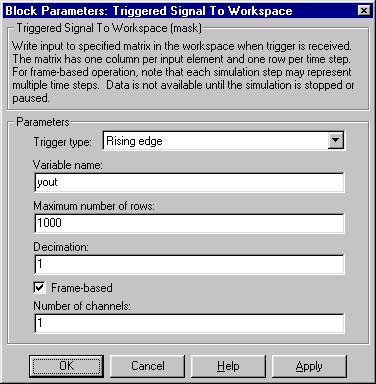
The Triggered Signal To Workspace block creates a matrix variable in the workspace, where it stores the acquired inputs at the end of a simulation. Each row of the workspace matrix represents an input sample, with the most recent sample occupying the last row. The maximum size of this variable is limited to the size specified by the Maximum number of rows (P) parameter. (If the simulation progresses long enough for the block to trigger more than P times, it stores only the last P samples.) The Decimation factor, D, allows you to store only every Dth sample. The block acquires and buffers a single sample from input 1 whenever it is triggered by the control signal at input 2. At all other times, the block ignores input 1. The triggering event at input 2 is specified by the Trigger type pop-up menu, and can be one of the following:Dialog Box
100 rows.1.See Also
Signal From Workspace