| DSP Blockset | Search Help Desk |
| Triggered Matrix To Workspace | See Also |
Write the input matrix to the workspace when triggered.
Library
DSP SinksDescription
The Triggered Matrix To Workspace block writes a three-dimensional array,A, to the workspace, where A contains the acquired samples of a matrix input. At the end of the simulation the block writes every Dth input sample (a matrix) to a page (a two-dimensional slice) of the specified three-dimensional array, where D is specified by the block's Decimation factor. The block writes the first input to the first page of the array, A(:,:,1), and continues adding pages until it writes the last input matrix to the last array page, A(:,:,end).
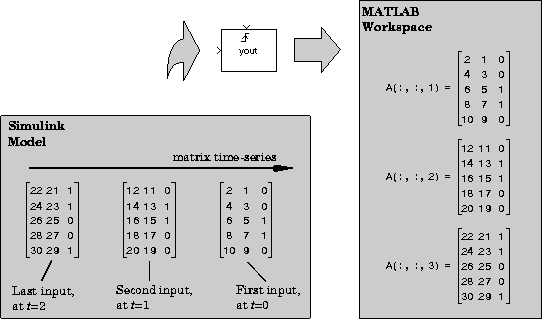 The block acquires and buffers a single sample from input 1 whenever it is triggered by the control signal at input 2. At all other times, the block ignores input 1. The triggering event at input 2 is specified by the Trigger type pop-up menu, and can be one of the following:
Dialog Box
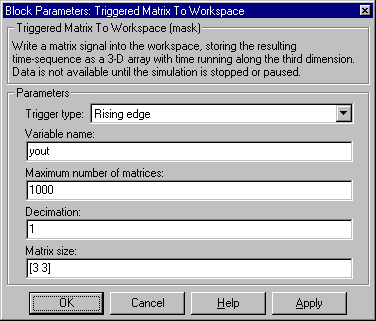
[rows columns].See Also
Matrix From Workspace