Using Stateflow     Search    Help Desk 

Create and Label the AND States

   1.
Double-click on the State button


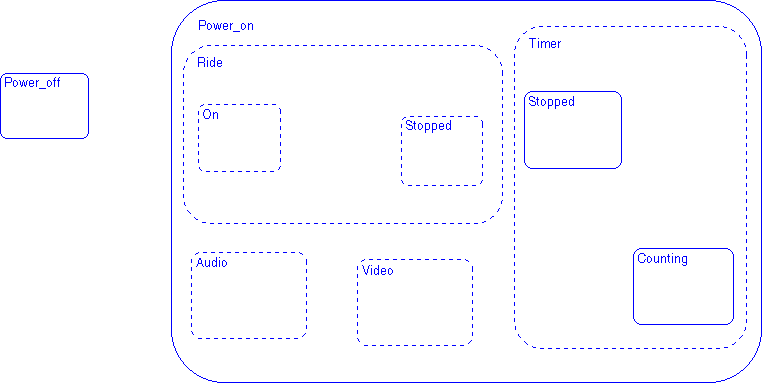
in the toolbar. The button appears depressed and is now in multiple object mode. Using the sample solution Stateflow diagram as a guide, click in the drawing area to place the Audio and Video states in the drawing area. The states are created as AND states since the decomposition of Ride is already set. Press the Escape key or click on the State button to toggle the button out of multiple object mode.
   2.
Click on the ? character within each state to enter each state label. Use the sample solution to label the states based on their placement in the drawing area. Deselect the state (press the Escape key) to exit the edit.

Sample Snapshot

Your Stateflow diagram should look similar to this Stateflow diagram.


[ Previous | Help Desk | Next ]