from the toolbar. Using the sample solution as a guide, place the
Ride superstate in the drawing area.
| Using Stateflow | Search Help Desk |
Create and Label the Superstates
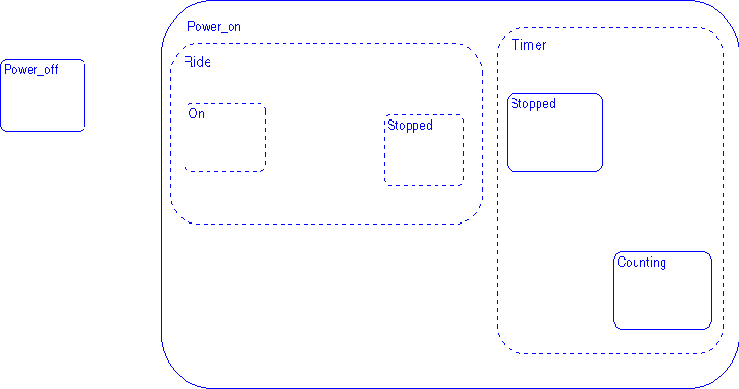
To create a superstate, create a state and resize so that it includes or surrounds the desired substates. These steps show how to create and label the superstates.Ride superstate in the drawing area.
Ride. Deselect the
superstate to exit the edit.

Power_on state in the drawing
area.
Power_on state to create a superstate. Dragging any one of the
state's corners resizes the state. You know you are at the resizing location
on the state border when the cursor appears as a double-ended arrow.
Power_on.
Deselect the OR superstate to exit the edit.

Timer state in the drawing area.
Timer state to create a superstate. Dragging any one of the state's
corners resizes the state. You know you are at the resizing location on the
state border when the cursor appears as a double-ended arrow.
Timer. Deselect
the OR superstate to exit the edit.
Power_on state but outside the borders of any of Power_on's substates
and clicking the right mouse button. Choose the Parallel (AND)
decomposition menu item.
Sample Snapshot
Your Stateflow diagram should now look similar to this Stateflow diagram.