Searching for All Objects of a Specified Object Type
Example
This Stateflow diagram is used to show how to search for all objects of a specified type.
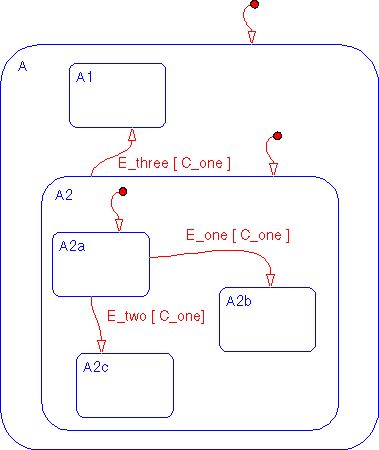
- 1
- Select Find... from the Tools menu of the Stateflow graphics editor window
to invoke the Finder.
- 2
- Ensure that the Transitions object type is checked. A checkmark indicates
that the object is included in the search criteria. By default, all object types
are included in the search criteria. Deselect all other object types.
- 3
- Click on the Find button. These are the results of the search.
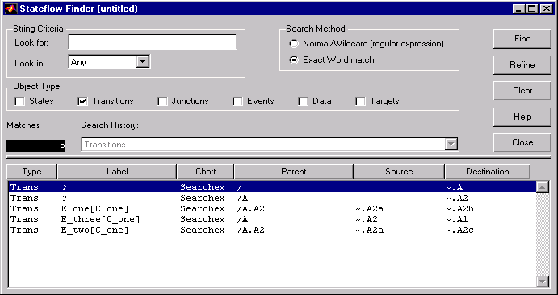
- There are six matches. The Search History shows that the current search
criterion is
Transitions. The display shows the matches.
[ Previous | Help Desk | Next ]