Using Stateflow     Search    Help Desk 

Searching for an Exact String Match

Example

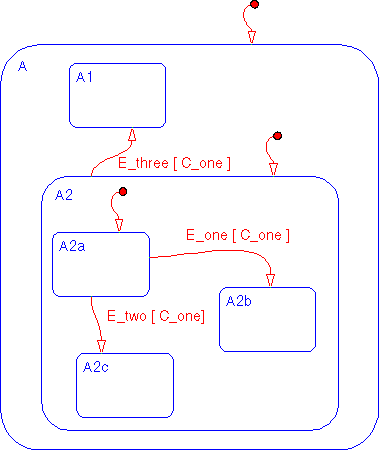
This example Stateflow diagram is used to show how to find all objects with an exact string match in the label.

   1.
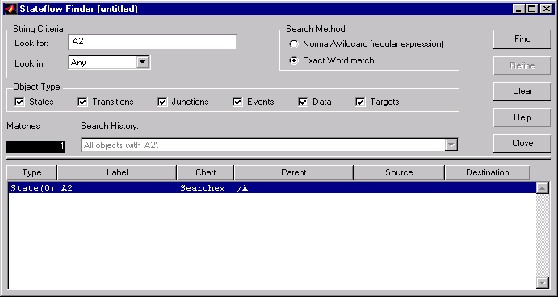
Select Find... from the Tools menu of the Stateflow graphics editor window to invoke the Finder.
   2.
Click in the Look for text field and enter A2.
   3.
Click on and enable the Exact word match radio button.
   4.
Click on the Find button. These are the results of the search.


There is one match. The Search History shows that the current search criterion is All objects with 'A2'. The display shows the match is an exclusive (O) state labeled A2 in a Stateflow diagram titled search_ex. The parentage of that state is /A.


[ Previous | Help Desk | Next ]