Searching for a Wildcard String
Example
This example Stateflow diagram is used to show how to find all object labels containing a specified wildcard string.
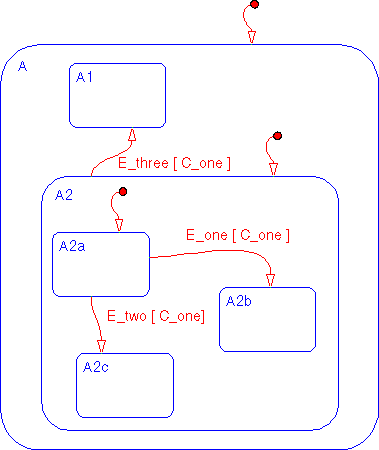
- 1
- Select Find... from the Tools menu of the Stateflow graphics editor window
to invoke the Finder.
- 2
- Click in the Look for text field and enter
A2.
- 3
- Click on and enable the Normal/Wildcard radio box.
- 4
- Click on the Find button. These are the results of the search.
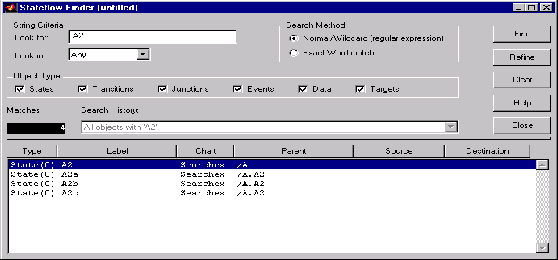
- There are four matches. The Search History shows that the current search
criterion is
All objects with 'A2'. The display shows the matches are all
exclusive OR (O) states.
[ Previous | Help Desk | Next ]