| Report Generator | Search Help Desk |
| System Hierarchy |
Category
SimulinkDescription
Attributes
This is the System Hierarchy attribute page.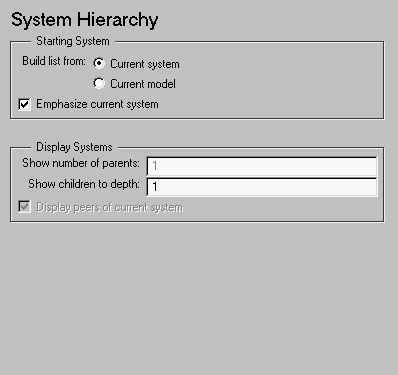 Note:
Note:
Starting System
Display Systems
2 in this field and you are reporting on Throttle, which is a system in Throttle and Manifold, which is a system in the Simulink demo model Engine, then the hierarchy list contains: engine
Throttle & Manifold
Throttle
Throttle, is emphasized by italics.2 in this field, then you get the following hierarchy list: f14
        Aircraft Dynamics Model
        Controller
        Dryden Wind Gust Models
            Band-Limited White Noise
        More Info
        More Info1
        Nz pilot calculation
f14, is emphasized by italics.Dryden Wind Gust Models, and you select this option, then you get the following hierarchy list: Aircraft Dynamics Model
Controller
        Dryden Wind Gust Models
            Band-Limited White Noise
More Info
More Info1
Nz pilot calculation
Dryden Wind Gust Models
Band-Limited White Noise
Dryden Wind Gust Models, is emphasized by italics.Insert anything into report?
Yes. List.Filename
cslsyslist