Component
System Loop
Category
Simulink
Description
The System Loop component runs its subcomponents for each system defined by the Model Loop. The System Loop component must have the Model Loop component as its parent.
Attributes
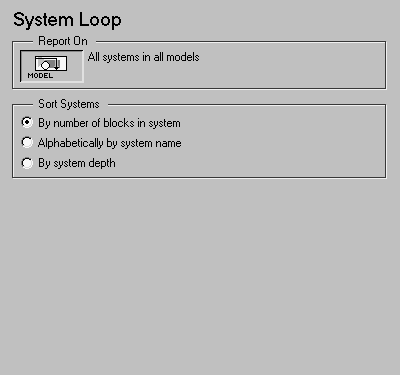
This is the System Loop attribute page.
 Note:
Note:
To view a component attribute page in the Setup File Editor, select the component in the setup file outline on the left and click on the Options tab. If the component is not in the setup file outline, you must add it to the outline first. See Chapter 4 for a discussion on how to add a component to the outline.
Report On
This context-sensitive frame describes what the system loop is operating on:
Sort Systems
Use this section to select how the systems are sorted:
Insert anything into report?
No.
Filename
csl_sys_loop
[ Previous | Help Desk | Next ]