Component
System Filter
Category
Simulink
Description
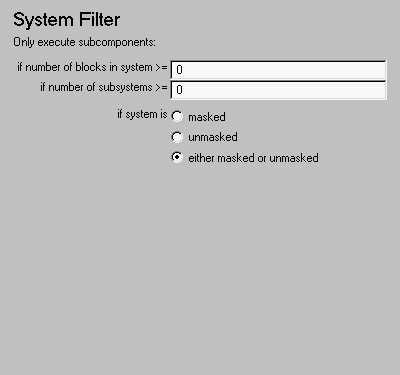
The System Filter component executes subcomponents only if the current systems meets the conditions specified in the attribute page.
Attributes
This is the System Filter attribute page.
 Note:
Note:
To view a component attribute page in the Setup File Editor, select the component in the setup file outline on the left and click on the Options tab. If the component is not in the setup file outline, you must add it to the outline first. See Chapter 4 for a discussion on how to add a component to the outline.
- Only execute subcomponents:
- if system is
- Select one of the following reporting options:
Insert anything into report?
No.
Filename
cslfilter
[ Previous | Help Desk | Next ]