Component
Stateflow Property Table
Category
Simulink
Description
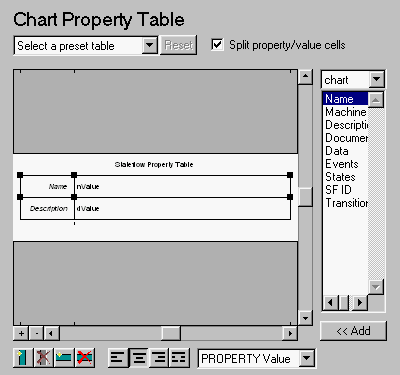
The Stateflow Property Table component inserts a property table in your report (reports on property-value pairs). This component inserts a property-value table for a Stateflow object into the report. This object is defined by the Stateflow Object Report component, which must be the parent of the Stateflow Property Table.
Attributes
This is the Stateflow Property Table attribute page.
 Note:
Note:
To view a component attribute page in the Setup File Editor, select the component in the setup file outline on the left and click on the Options tab. If the component is not in the setup file outline, you must add it to the outline first. See Chapter 4 for a discussion on how to add a component to the outline.
The Stateflow Property Table is similar to the Handle Graphics Figure Property Table. See the Handle Graphics Figure Property Table for reference.
Note that available properties and preset tables depend on the Object Report parent component.
Insert anything into report?
Yes. Table.
Filename
csf_prop_table
[ Previous | Help Desk | Next ]