Component
Stateflow Object Report
Category
Stateflow
Description
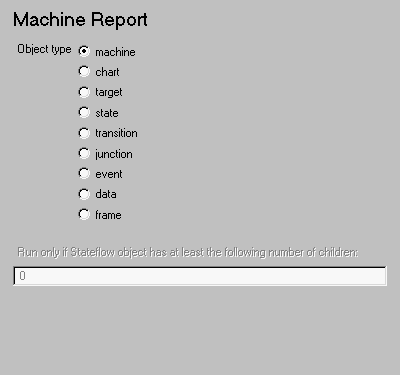
The Stateflow Object Report component is a filter that runs its children only if the current object type (set by the parent Stateflow Loop) matches the selected object type. The Stateflow Object Report component must have the Stateflow Loop component as its parent.
Attributes
This is the Stateflow Object Report attribute page.
 Note:
Note:
To view a component attribute page in the Setup File Editor, select the component in the setup file outline on the left and click on the Options tab. If the component is not in the setup file outline, you must add it to the outline first. See Chapter 4 for a discussion on how to add a component to the outline.
- Object type
- Select the Stateflow object type to include in the report. The current object type (set by the parent Stateflow Loop) must match this selected object type in order for the current object to be included in the report.
Run only if Stateflow object has at least the following number of Stateflow children:
- Use this option to limit the number of Stateflow objects that are reported on. If you enter a number in this field, a Stateflow object will not be included in the report unless it has at least that number of children.
Insert anything into report?
No.
Filename
csf_obj_report
[ Previous | Help Desk | Next ]