| Report Generator | Search Help Desk |
| Model Variables |
Category
SimulinkDescription
The Model Variables component creates a table that shows all workspace variables used by reported blocks in a Simulink model. The current model and systems in which the blocks appear are specified in the Model Loop component. For example, a Simulink Gain block might have a string x instead of a number. Simulink looks for a variable x in the workspace. See Using Simulink for more information.Attributes
This is the Model Variables attribute page.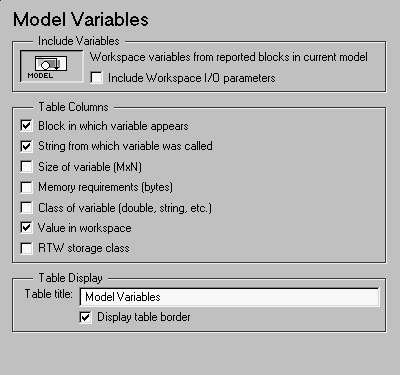 Note:
Note:
Include Variables
This context-sensitive frame shows that this component is reporting on variables in reported blocks in the current model.Table Columns
The options in this section specify the information included in the table. The first column is always Variable Name.[MxN CLASS]. For example, if you have a 300-by-200 double array, it will display in the report as [300x200 DOUBLE].TunableVars property to see if any of the model variables specify their storage class. If the storage class is specified, then the model variables table displays TunableVarsStorageClass and TunableVarsTypeQualifier in a table column. The column entries are TunableVarsStorageClass (TunableVarsTypeQualifier) if TunableVarsTypeQualifier is not empty. If TunableVarsTypeQualifier is empty, the column entry is TunableVarsStorageClass.TunableVarsStorageClass are:Exported Global
Auto
ImportedExtern
ImportedExtern Pointer
Table Display
Example
This is an example of a table created by the Model Variables component. This property table is reporting on the variables in theController in the F14 demo model.Insert anything into report?
Yes. Table.Filename
csl_variables