| Report Generator | Search Help Desk |
| Model Simulation |
Category
SimulinkDescription
The Model Simulation component runs the current model using the simulation parameters specified in the attributes page. This component should have the Model Loop component as its parent.Attributes
This is the Model Simulation attribute page.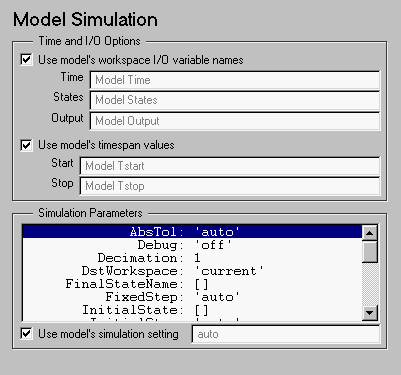 Note:
Note:
Time and I/O Options
Time parameter in this field.
States parameter in this field.
Output parameter in this field.
Start time and Stop time values specified in the Solver tab in the Simulation Parameters dialog box. For a description of these variables, see Using Simulink.inf (infinity) in Simulink or on this component's attribute page, then the Report Generator will terminate the model simulation after 60 seconds to prevent the report from generating for an infinite amount of time.
Simulation Parameters
The list box in this section of the attributes page contains all of the model's simulation parameters. To use these parameters, select Use model's simulation setting. If you do not want to use these parameters, make sure that the Use model's simulation setting check box is not checked. Then click on the parameter you want to edit and type in the new parameter value in the field below the list box and next to the Use model's simulation setting check box.Insert anything into report?
No.Filename
cslsim