Implement a controlled current source
Library
Electrical Sources Library
Description
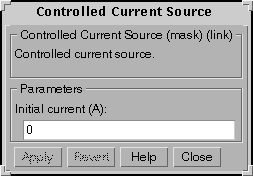
The Controlled Current Source block provides a current source controlled by a Simulink signal. The positive current direction is as shown by the arrow in the block icon. The initial current level is set in the dialog box as a parameter.
If the initial current is set to a nonzero value, this current will be considered as a DC current, and the states of the linear circuit will be initialized accordingly. To start the simulation in steady-state, the initial value of the Simulink signal must correspond to the initial current entered in the dialog box.
Dialog Box
Example
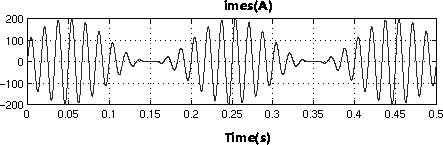
Generate a 60Hz current modulated at 5Hz with the Controlled Current Source.
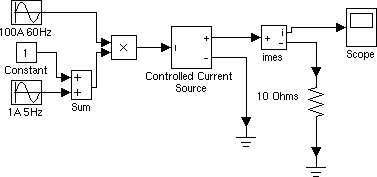
This circuit is available in the psbcontrolcurr.mdl file. Simulation produces the following waveforms:
See Also
Controlled Voltage Source
[ Previous | Help Desk | Next ]