Implement a controlled voltage source
Library
Electrical Sources Library
Description
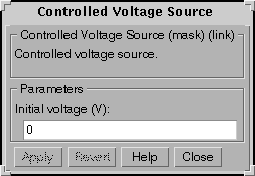
The Controlled Voltage Source block provides a voltage source controlled by a Simulink signal. The first and second outputs of the block are respectively the positive and the negative terminals of the voltage source. The initial voltage level is set in the dialog box.
If the initial voltage is set to a nonzero value, this voltage will be considered as a DC voltage and the states of the linear circuit will be initialized accordingly. To start the simulation in steady-state, the initial value of the Simulink signal must correspond to the initial voltage entered in the dialog box.
Dialog Box
Example
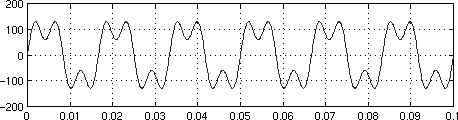
Generate a 60 Hz sinusoidal voltage containing a third harmonic.
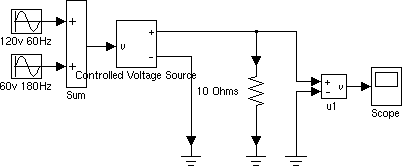
This circuit is stored in the file psbcontrolvolt.mdl. Simulation produces the following waveform
See Also
Controlled Current Source
[ Previous | Help Desk | Next ]