Data Acquisition Toolbox
  Function/Property:
    Search    Help Desk 

Configuring Triggers

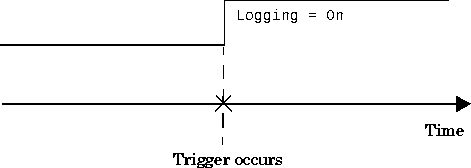
An analog input trigger is defined as the event that initiates data logging. Data can be logged to memory and/or a disk file. As shown in the figure below, when a trigger occurs, the Logging property is automatically set On and data is stored in the engine and/or a disk file.

When defining a trigger, you must specify the trigger type. Additionally, you may specify:

Properties that allow you to configure a trigger are shown below.

Table 4-5: Analog Input Trigger Properties
Property
Description
TriggerChannel

Array of channels serving as trigger sources

TriggerCondition

Condition that must be satisfied for a trigger to be issued (depends on TriggerType)

TriggerConditionValue

Trigger condition value

TriggerDelay

Delay for trigger. A negative delay defines a pretrigger while a positive delay defines a
postrigger

TriggerDelayUnits

Determines how a trigger delay is measured (time or samples)

TriggerAction

M-file that is executed after the trigger is issued

TriggerRepeat

Number of times to repeat the trigger

TriggerTime

Array of observed absolute trigger times

TriggerType

Source of the trigger

Additionally, the SamplesPerTrigger property specifies the number of samples to acquire per trigger for each channel group member.

Except for TriggerAction, these trigger-related properties are discussed in the following sections. TriggerAction is discussed in "Configuring Events and Actions".


[ Previous | Help Desk | Next ]