Text Alignment
The HorizontalAlignment VerticalAlignment
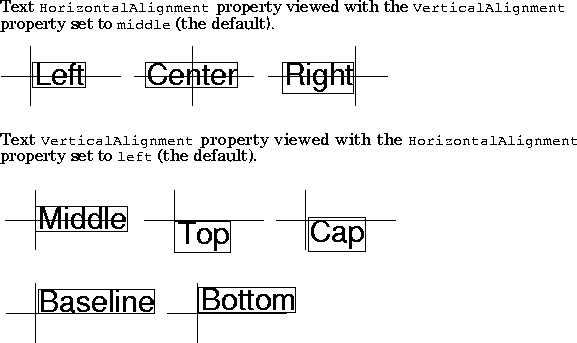
The default alignment is
MATLAB does not place the text String exactly on the specified Position. For example, the previous section showed a plot with a point annotated with text. Zooming in on the plot enables you to see the actual positioning of the text.
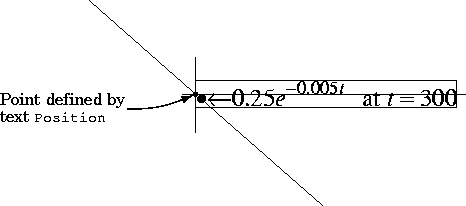 The small dot is the point specified by the text
 Position property. The larger dot is the bullet defined as the first character in the text String property.
[ Previous | Help Desk | Next ]