Specifying TeX Characters
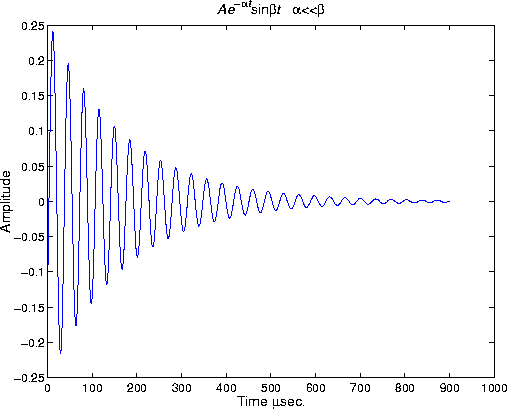
Text objects support a subset of TeX characters that enable you to use symbols in the title and axis labels. For example,
title('{\itAe}^{-\alpha\itt}sin\beta{\itt}
  \alpha<<\beta')
xlabel('Time \musec.')
ylabel('Amplitude')
The backslash character "\" precedes all TeX character sequences. Looking at the string defining the title illustrates how to use these characters:
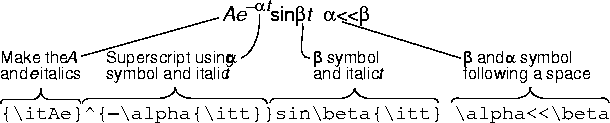
The text Interpreter none, MATLAB interprets the special characters literally.
You can also use the title, xlabel, ylabel, and zlabel functions to add the labels. In most cases, these functions are easier to use, but affect only the current axes. Obtaining the text handle from the axes is useful in M-files and MATLAB-based applications where you cannot be sure the intended target is the current axes.
See the text String property for a list of available TeX characters.
[ Previous | Help Desk | Next ]