Positioning Text on Graphs
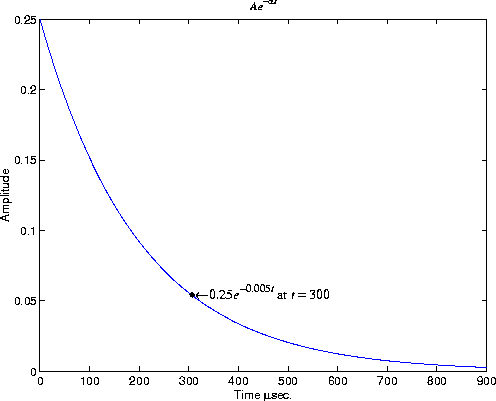
You can use text objects to annotate axes at arbitrary locations. MATLAB locates text in the data units of the axes. For example, suppose you plot the function  with A = 0.25,
  = 0.005, and t = 0 to 900.
t = 0:900;
plot(t,0.25*exp(-0.005*t))
To annotate the point where the value of t = 300, calculate the text coordinates using the function you are plotting.
text(300,.25*exp(-0.005*300),...
'\bullet\leftarrow\fontname{times}0.25{\ite}^{-0.005{\itt}}
at {\itt} = 300',...
'FontSize',14)
This statement defines the text Position property as x = 300,
 . The default text alignment places this point to the left of the string and centered vertically with the rectangle defined by the text
 Extent property. Text Alignment describes additional alignment options.
[ Previous | Help Desk | Next ]