| MATLAB Environment | Search Help Desk |
Interface for Microsoft Windows Platforms
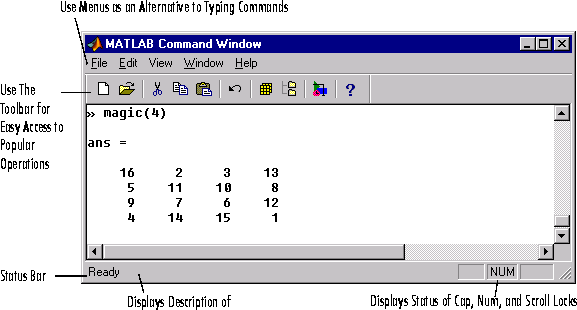
 Use the Command Window graphical user interface, available only for Windows platforms, to run MATLAB commands, to launch MATLAB tools such as the Editor/Debugger, and to start toolboxes.
Command Window
Toolbar Buttons
Toolbar buttons provide access to commonly used commands.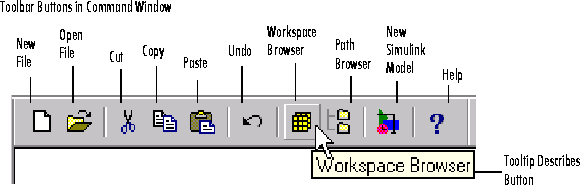
Menus
The Command Window menus provide access to some commonly used MATLAB commands. Hold the cursor on a menu item and a description of the item appears in the status bar.Preferences
Set preferences to control the appearance and operation of the Command Window. Select Preferences from the File menu. The Preferences dialog box appears, from which you set General, Command Window Font, and Copying Options preferences.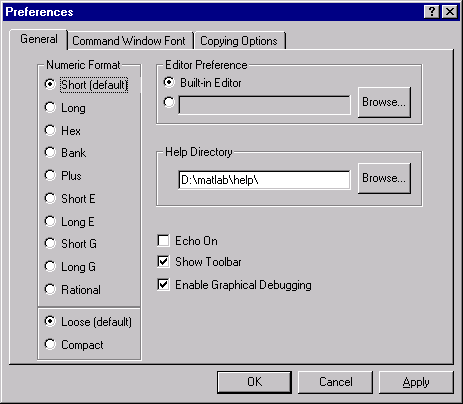
format.
echo reference page for more information.