| Using Stateflow | Search Help Desk |
Create Default Transitions
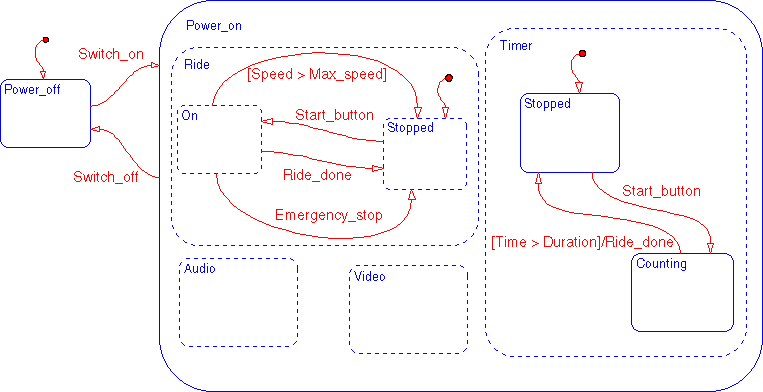
There are three Default transitions in the solution Stateflow diagram. Double-click on the Default transition button in the toolbar. The button appears depressed and is now in multiple object mode. Using the sample solution as a guide, place the default transitions in the drawing area.
This is the final step in creating the graphic objects in the Stateflow diagram.
in the toolbar. The button appears depressed and is now in multiple object mode. Using the sample solution as a guide, place the default transitions in the drawing area.
This is the final step in creating the graphic objects in the Stateflow diagram.
Sample Snapshot
Your Stateflow diagram should now look similar to this Stateflow diagram.