Defining Simulink Parameters
- 1
- Double-click on the Sine Wave block and edit the parameters as shown in
this example dialog box.
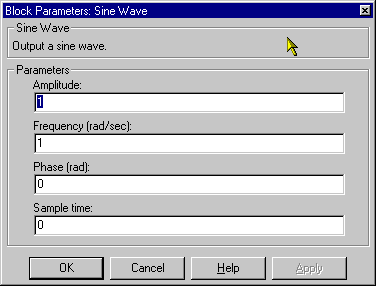
- Click on the OK button to apply the changes and close the dialog box.
- 2
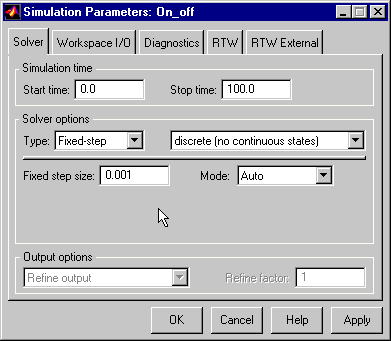
- Choose Parameters from the Simulation menu of the Simulink model
window and edit the values to match the values in this dialog box.
For More Information
See Chapter 4, "Defining Stateflow Interfaces."
[ Previous | Help Desk | Next ]