Starting from a Target Builder Dialog Box
To build a target from the Target Builder dialog box:
- 1
- Open the Target Builder dialog box for the target you want to build.
- You can do this by selecting the appropriate item, for example, Open
Simulation Target, from the Stateflow editor's Tools menu or by clicking
on the simulation target in the Stateflow Explorer.
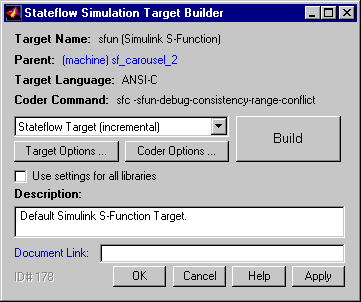
- The dialog box for the selected target appears, for example,
- 2
- Select a build option from the drop-down list next to the Build button.
- 3
- Select the Build button to begin the build process.
[ Previous | Help Desk | Next ]