| Using Simulink | Search Help Desk |
| Model Info |
Display revision control information in a model.
Library
Signals & SystemsDescription
vdp model.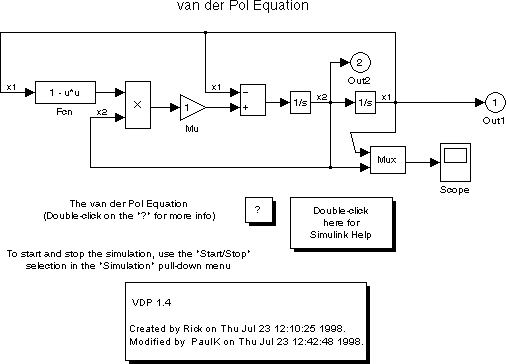
Data Type Support
Not applicable.Dialog Box
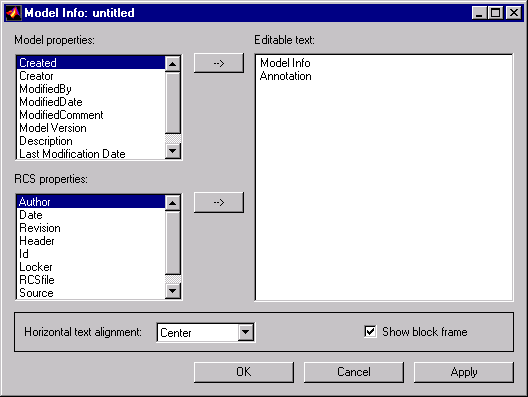
The Model Info block dialog box includes the following fields:
Editable text. Enter the text to be displayed by the Model Info block in this field. You can freely embed variables of the form%<propname>, where propname is the name of a model or revision control system property, in the entered text. The value of the property replaces the variable in the displayed text. For example, suppose that the current version of the model is 1.1. Then the entered text
Version %<ModelVersion>appears as
Version 1.1in the displayed text. The model and revision control system properties that you can reference in this way are listed in the Model properties and Configuration manager properties fields. Model properties. Lists revision control properties stored in the model. Selecting a property and then selecting the adjacent arrow button enters the corresponding variable in the Editable text field. For example, selecting
CreatedBy enters %<CreatedBy%> in the Editable text field. See "Version Control Properties" for a description of the usage of the properties specified in this field.
RCS properties.
This field appears only if you previously specified an external configuration manager for this model (see "Configuration manager"). The title of the field changes to reflect the selected configuration manager (for example, RCS Properties). The field lists version control information maintained by the external system that you can include in the Model Info block. To include an item from the list, select it and then click the adjacent arrow button.
Note