| Using Simulink | Search Help Desk |
| Integrator |
Library
ContinuousDescription
Discrete-Time Integrator), when constructing a purely discrete system.
Defining Initial Conditions
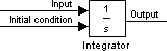
You can define the initial conditions as a parameter on the block dialog box or input them from an external signal:Using the State Port
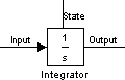
In two known situations, you must use the state port instead of the output port:bounce model.
clutch model.
Limiting the Integral
To prevent the output from exceeding specifiable levels, select the Limit output check box and enter the limits in the appropriate parameter fields. Doing so causes the block to function as a limited integrator. When the output is outside the limits, the integral action is turned off to prevent integral wind up. During a simulation, you can change the limits but you cannot change whether the output is limited. The output is determined as follows: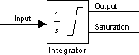
Resetting the State
The block can reset its state to the specified initial condition based on an external signal. To cause the block to reset its state, select one of the External reset choices. A trigger port appears below the block's input port and indicates the trigger type, as shown in this figure.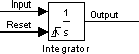
Specifying the Absolute Tolerance for the Block State
When your model contains states having vastly different magnitudes, defining the absolute tolerance for the model might not provide sufficient error control. To define the absolute tolerance for an Integrator block's state, provide a value for the Absolute tolerance parameter. If the block has more than one state, the same value is applied to all states. For more information about error control, see "Error Tolerances".Choosing All Options
When all options are selected, the icon looks like this.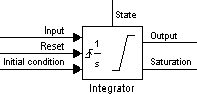
Data Type Support
An Integrator block accepts and outputs signals of typedouble on its data ports. Its external reset port accepts signals of type double or boolean.
Parameters and Dialog Box
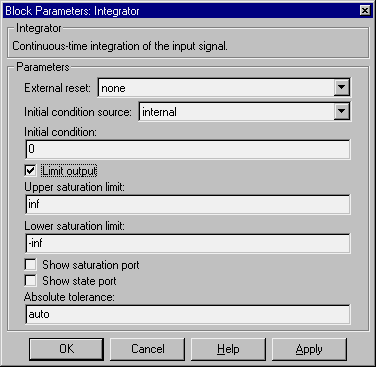
inf.-inf.Characteristics