Annotations
Annotations provide textual information about a model. You can add an annotation to any unoccupied area of your block diagram.
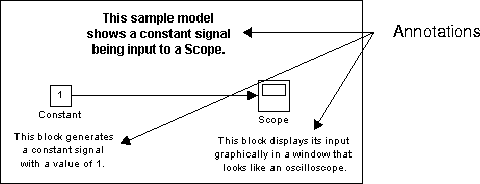
To create a model annotation, double-click on an unoccupied area of the block diagram. A small rectangle appears and the cursor changes to an insertion point. Start typing the annotation contents. Each line is centered within the rectangle that surrounds the annotation.
To move an annotation, drag it to a new location.
To edit an annotation, select it:
To delete an annotation, hold down the Shift key while you select the annotation, then press the Delete or Backspace key.
To change the font of all or part of an annotation, select the text in the annotation you want to change, then choose Font from the Format menu. Select a font and size from the dialog box.
[ Previous | Help Desk | Next ]