| Power System Blockset | Search Help Desk |
| Powergui | Examples See Also |
Graphical user interface for the analysis of Power System circuits
Description
Example
The graphical interface is presented here for thepsbtransient.mdl circuit demo entitled Transient Analysis.
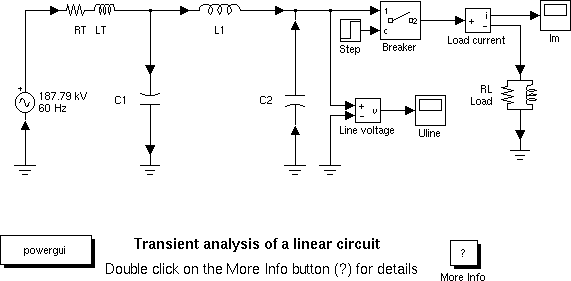
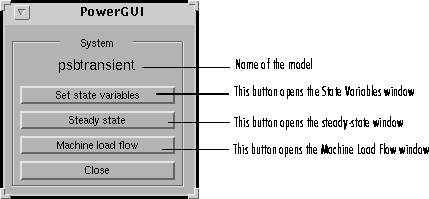
If the Powergui block is not in the model, copy it from the powerlib library. Start the simulation to establish the state space model (this occurs automatically through Power2sys). Double-click on the block to open the following window:
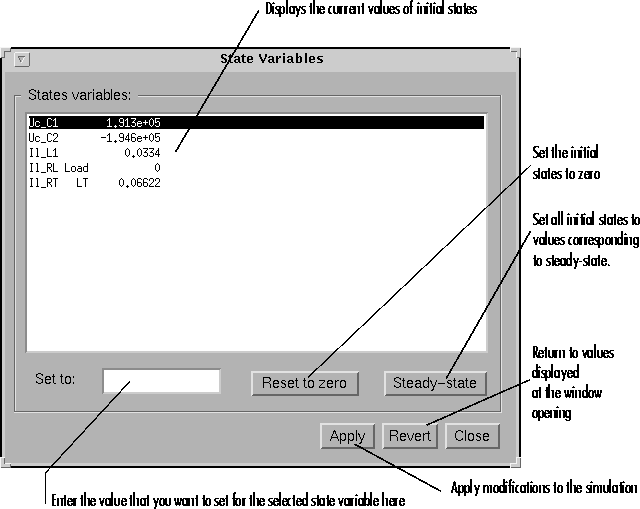
The Set State Variables window is used to set initial states before the simulation.
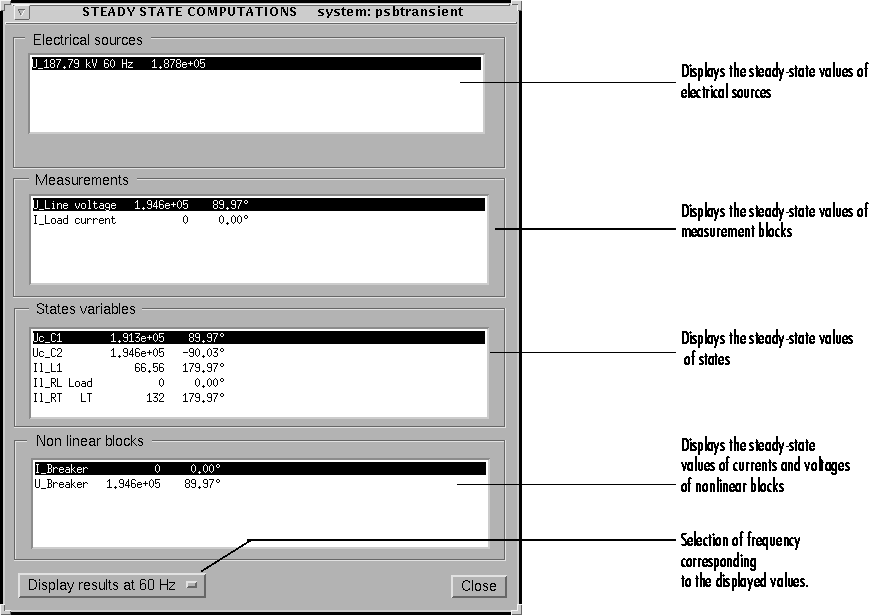
The Steady-State window displays the phasor values (magnitude and phase) of sources, measured voltages and currents, state variables as well as voltages and currents of nonlinear blocks.
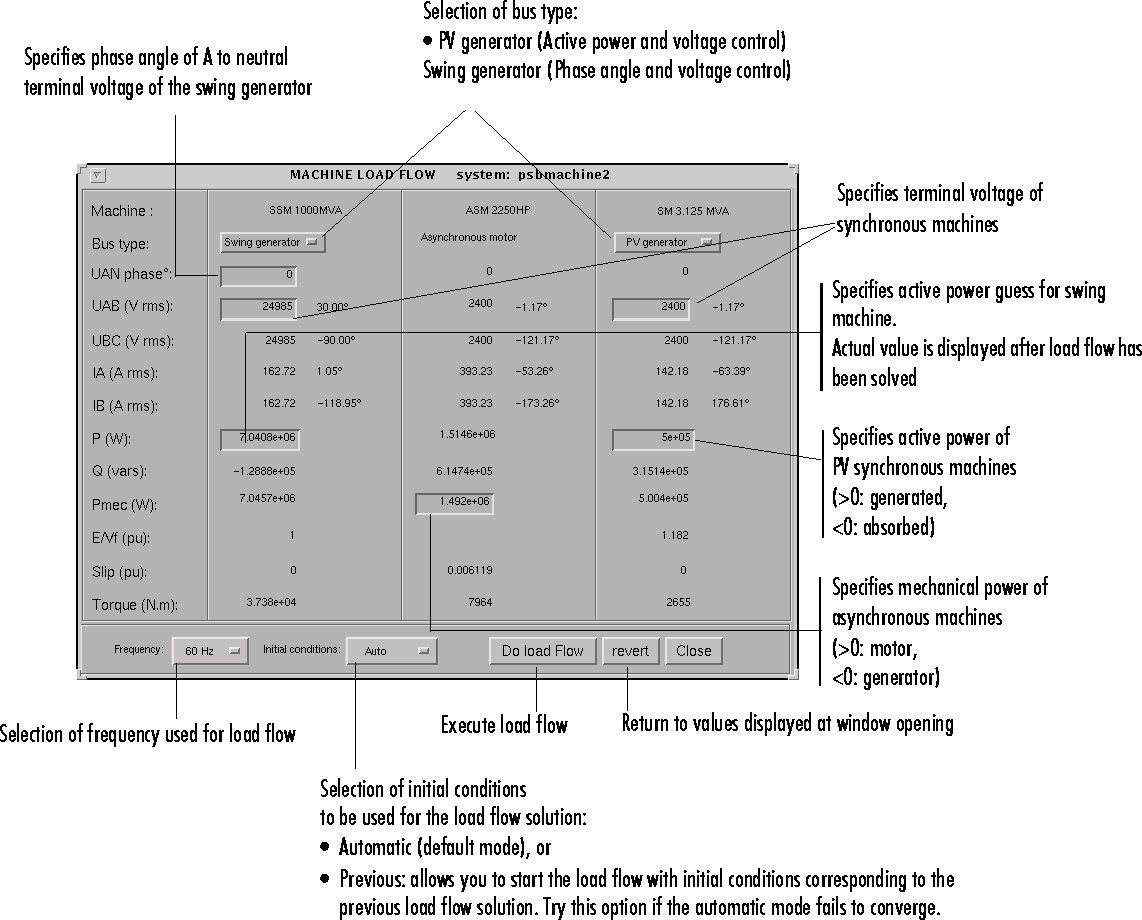
The Machine Load Flow window allows you to perform load flows and initialize three-phase circuits containing the following three types of machines: Simplified Synchronous Machine, Synchronous Machine, and Asynchronous Machine. Once the load flow has been solved, initial conditions are automatically set in the dialog boxes of the machines and you can start the simulation in steady-state.
The use of the machine load flow is illustrated in "Session 5: Simulating Three-Phase Systems and Using Electrical Machines" in Chapter 1. We reproduce here the window displayed for the three machine caseSee Also
power2sys