| Power System Blockset | Search Help Desk |
| Parallel RLC Load | Examples See Also |
Implement a linear parallel RLC load
Library
Elements LibraryDescription
Dialog Box
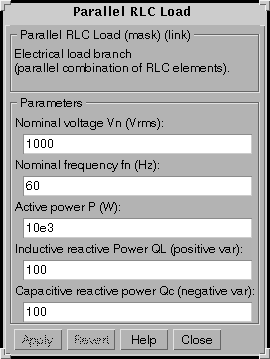
Enter the value of the nominal voltage and nominal frequency in the first two entries. Enter the desired active power, the inductive reactive power, and the capacitive reactive power in the last three entries. The inductive and capacitive reactive powers should be positive values. At the specified frequency, the load will exhibit a constant impedance and its power will be proportional to the square of the applied voltage. Only elements associated with nonzero powers will be displayed in the block icon.Example
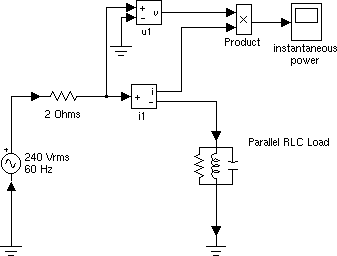
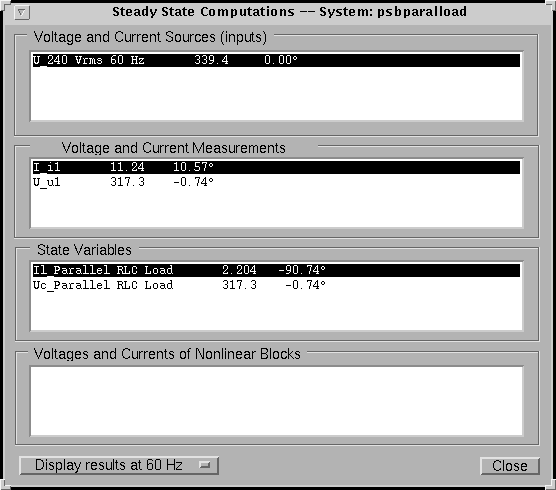
Find the steady-state values of load voltage and current in the following circuit. This example is available in thepsbparalload.mdl file.Drag the Powergui block from the powerlib library into your circuit. Double click on the Powergui icon and output the voltage and current phasors by clicking on the Steady state button.
See Also
Parallel RLC Branch, Series RLC Load, Series RLC Branch