Implement a local common node in the circuit
Library
Connectors Library
Description
The Neutral block implements a local common node with a specific node number. If the node number is set to zero, the Neutral block automatically makes a connection to ground. The node number is displayed on the icon. You can use this block to create a floating neutral or to interconnect two points without drawing a connection line.
For the drawing facility, two types of neutral blocks are available in the library: one block with an input and one block with an output.
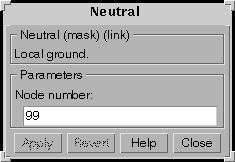
Dialog Box
Example
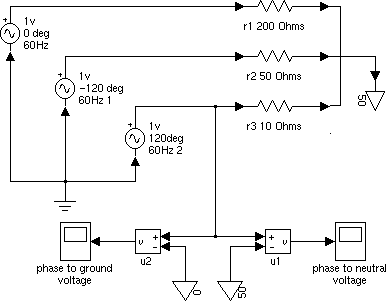
The following circuit uses three Neutral blocks. Three resistors are connected to a floating neutral (node 50). The phase-to-ground voltage is measured with the u2 block and the phase-to-neutral voltage is measured with the u1 block. This example is available in the psbneutral.mdl file.
See Also
Ground
[ Previous | Help Desk | Next ]