| Fixed-Point Blockset | Search Help Desk |
| FixPt Relay |
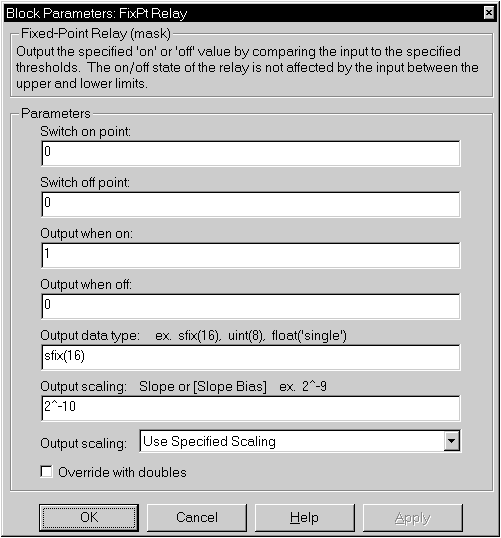
The FixPt Relay block is a masked S-function that allows the output to switch between two specified values. When the relay is on, it remains on until the input drops below the value of the Switch off point parameter. When the relay is off, it remains off until the input exceeds the value of the Switch on point parameter. The block accepts one input and generates one output. Specifying a Switch on point value greater than the Switch off point value models hysteresis, whereas specifying equal values models a switch with a threshold at that value. The Switch on point value must be greater than or equal to the Switch off point.
The Output scaling parameter supports these scaling modes when Output data type is a generalized fixed-point data type:
Parameters and Dialog Box
Conversions
Both the Switch on point and Switch off
point parameters are converted to the input data type offline using
round-to-nearest and saturation.
| Input Port | Any data type supported by the blockset |
| Output Port | Any data type supported by the blockset |
| Direct Feedthrough | Yes |
| Sample Time | Inherited |
| Scalar Expansion | Yes |
| States | 0 |
| Vectorized | Yes |