| Data Acquisition Toolbox | Search Help Desk |
Logging Information to Disk
The information logged to a file can be thought of as a stream of data and events as shown below.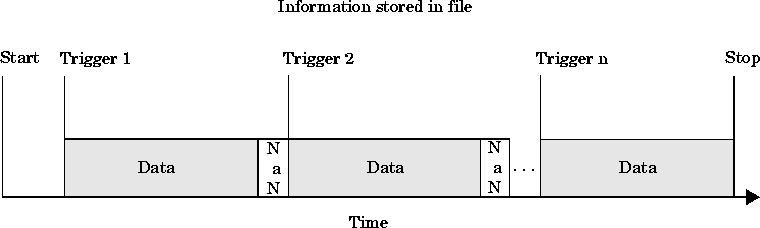
LogFileName property and setting LoggingMode to Disk or Disk&Memory.
You can choose whether an output file is overwritten or if multiple log files will be created with the LogToDiskMode property. Setting LogToDiskMode to Overwrite causes the output file to be overwritten. Setting LogToDiskMode to Index causes new data files to be created, each with an indexed name based on the value of LogFileName. A new file is created for each start command issued and each analog input device object must be logged to a separate file.
Disk writes are performed as soon as possible after the current data block is filled.
Specifying an Output File Name
The output file naming scheme follows these rules:LogFileName as long as it conforms to the MATLAB naming conventions: the name cannot start with a number and cannot contain spaces.
LogFileName, then .daq will be used as the extension.
LogToDiskMode is set to Index, then the output filename also follows these rules:
LogFileName, then two digits will be appended starting at "01". For example, if LogFileName is specified as Name.daq, then Name01.daq is the name of the first output file.
LogFileName, then the number is incremented by one for each successive output file.
LogToDiskMode is set to Index and the output file specified by LogFileName already exists.