Plotting Imaginary and Complex Data
When the arguments to plot are complex (i.e., the imaginary part is nonzero), MATLAB ignores the imaginary part except when plot is given a single complex argument. For this special case, the command is a shortcut for a plot of the real part versus the imaginary part. Therefore,
plot(Z)
where Z is a complex vector or matrix, is equivalent to
plot(real(Z),imag(Z))
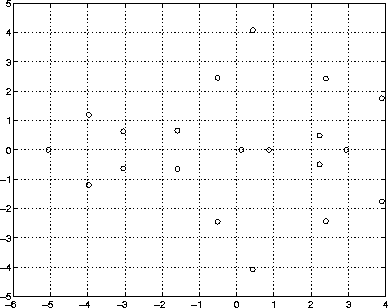
For example, this statement plots the distribution of the eigenvalues of a random matrix using circular markers to indicate the data points.
plot(eig(randn(20,20)),'o','MarkerSize',6)
To plot more than one complex matrix, there is no shortcut; the real and imaginary parts must be taken explicitly.
[ Previous | Help Desk | Next ]