Line Plots of Matrix Data
When you call the plot function with a single matrix argument
plot(Y)
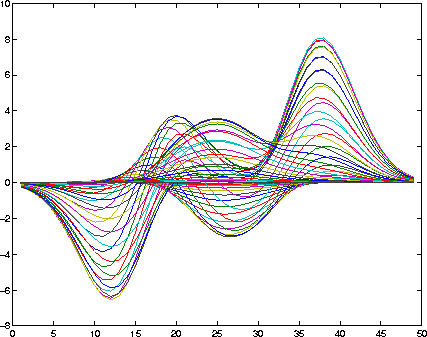
MATLAB draws one line for each column of the matrix. The x-axis is labeled with the row index vector, 1:m, where m is the number of rows in Y. For example,
Z = peaks;
returns a 49-by-49 matrix obtained by evaluating a function of two variables. Plotting this matrix
plot(Z)
produces a graph with 49 lines.
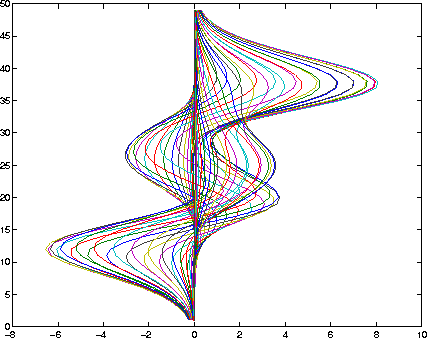
In general, if plot is used with two arguments and if either X or Y has more than one row or column, then
y = 1:length(peaks);
plot(peaks,y)
You can also use the plot function with multiple pairs of matrix arguments.
plot(X1,Y1,X2,Y2,...)
This statement graphs each X-Y pair, generating multiple lines. The different pairs can be of different dimensions.
[ Previous | Help Desk | Next ]