| MATLAB Environment | Search Help Desk |
Workspace Browser
The Workspace Browser lets you view the contents of the current MATLAB workspace. It provides a graphical representation of thewhos display.
 To open the Workspace Browser, select Show Workspace from the File menu in the Command Window, or click the Workspace Browser toolbar button, or type
 workspace at the command line.
 To open the Workspace Browser, type
 workspace at the command line.
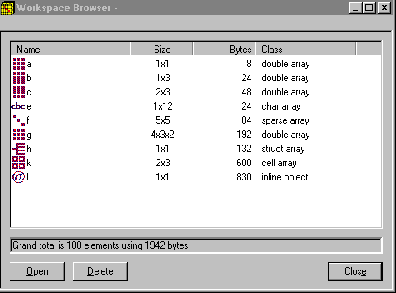 Use the Workspace Browser to: