
| Using Simulink | Search Help Desk |
| Zero-Pole |
Implement a transfer function specified in terms of poles and zeros.
Library
ContinuousDescription
The Zero-Pole Block Icon
The Zero-Pole block displays the transfer function in its icon depending on how the parameters are specified:For example, if you specify Zeros as [3,2,1], Poles as (poles), where poles is defined in the workspace as [7,5,3,1], and Gain as gain, the icon looks like this:
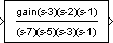
(s)" if appropriate. For example, if you specify Zeros as zeros, Poles as poles, and Gain as gain, the icon looks like this.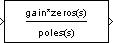
Data Type Support
A Zero-Pole block accepts real signals of typedouble.
Parameters and Dialog Box
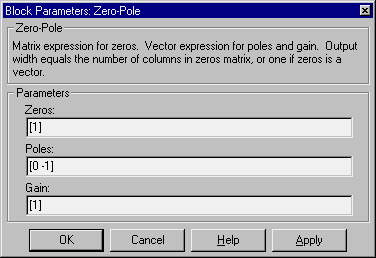
[1].[0 -1].[1].Characteristics
| Direct Feedthrough |
Only if the lengths of the Poles and Zeros parameters are equal |
| Sample Time |
Continuous |
| Scalar Expansion |
No |
| States |
Length of Poles vector |
| Vectorized |
No |
| Zero Crossing |
No |