| Using Simulink | Search Help Desk |
| Real-Imag to Complex |
Convert a magnitude and/or a phase angle signal to a complex signal.
Library
MathDescription
double. The data type of the complex output signal is double.
The inputs may be both vectors of equal size, or one input may be a vector and the other a scalar. If the block has a vector input, the output is a vector of complex signals. The elements of a real input vector are mapped to real parts of the corresponding complex output elements. An imaginary input vector is similarly mapped to the imaginary parts of the complex output signals. If one input is a scalar, it is mapped to the corresponding component (real or imaginary) of all the complex output signals.
Data Type Support
See description above.Parameters and Dialog Box
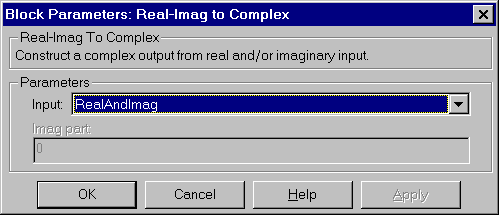
Characteristics
| Direct Feedthrough |
Yes |
| Sample Time |
Inherited from driving block |
| Scalar Expansion |
Of the input when the function requires two inputs |
| Vectorized |
Yes |
| Zero Crossing |
No |