For example, this block icon is the result of entering */ as the parameter value.
| Using Simulink | Search Help Desk |
| Product |
Generate the product or quotient of block inputs.
Library
MathDescription
* and / symbols, the number of block inputs is equal to the number of symbols. The block icon shows the appropriate symbol adjacent to each input port. The block output is the product of all inputs marked * divided by all inputs marked /.
For example, this block icon is the result of entering */ as the parameter value.

This model represents using the Product block in this way. The solid line input signal indicates that the input is a vector.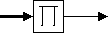
Data Type Support
The Product block accepts real- or complex-valued signals of any data type. All input signals must be of the same data type. The output signal data type is the same as the input's.Parameters and Dialog Box
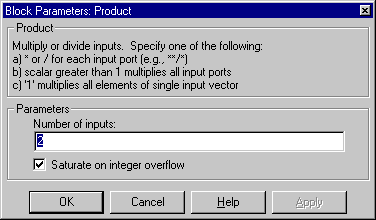
* and / symbols. The default is 2.Characteristics
| Direct Feedthrough |
Yes |
| Sample Time |
Inherited from driving block |
| Scalar Expansion |
Yes |
| Vectorized |
Yes |
| Zero Crossing |
No |
