| Using Simulink | Search Help Desk |
Breaking at Blocks
The debugger lets you specify a breakpoint at the beginning or end of a block.Breaking at a Block's Beginning
Thebreak command lets you set a breakpoint at the beginning of a block. Setting a breakpoint at the beginning of a block causes the debugger to stop the simulation when it reaches the block on each time step.
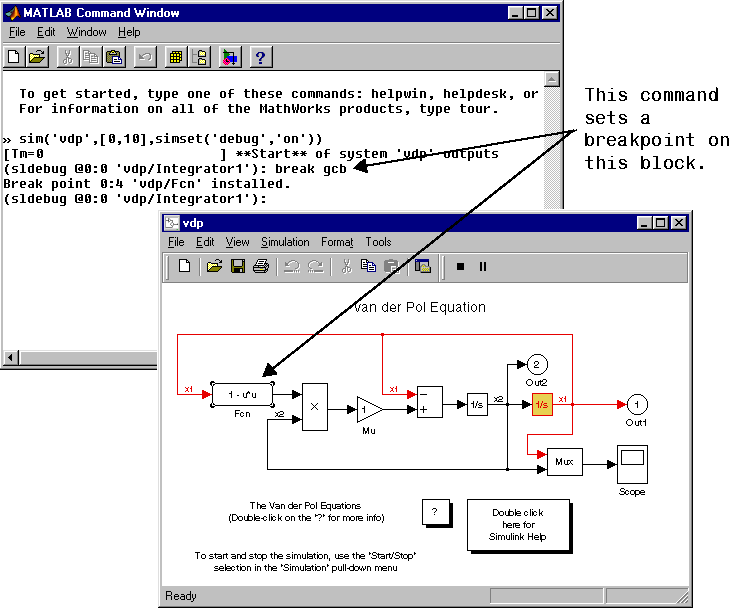
You can specify the block on which to set the breakpoint via a block index or graphically. To specify the block graphically, select the block in the model's block diagram and enter
break gcbas shown in the following figure
break s:bwhere
s:b is the block's index (see "About Block Indexes").
Note
slist command (see "Displaying a Model's Nonvirtual Blocks").
Breaking at a Block's End
Thebafter command sets a breakpoint at the end of a nonvirtual block. As with break, you can specify the block graphically or via its block index.
Clearing Breakpoints from Blocks
Theclear command clears a breakpoint from the beginning or end of a block. You can specify the block by entering its block index or by selecting the block in the model diagram and entering gcb as the argument of the clear command.