| Using Simulink | Search Help Desk |
Creating an Enabled Subsystem
You create an enabled subsystem by copying an Enable block from the Signals & Systems library into a subsystem. Simulink adds an enable symbol and an enable control input port to the Subsystem block icon:
Setting Output Values While the Subsystem Is Disabled
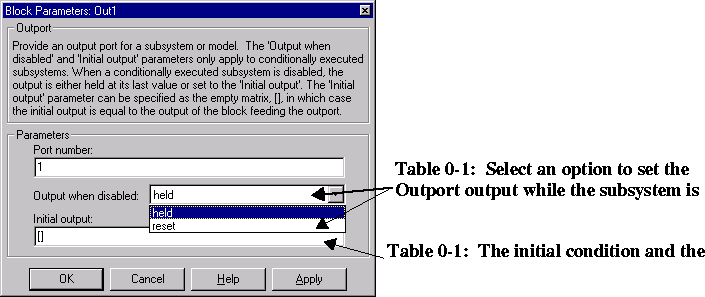
Although an enabled subsystem does not execute while it is disabled, the output signal is still available to other blocks. While an enabled subsystem is disabled, you can choose to hold the subsystem outputs at their previous values or reset them to their initial conditions. Open each Outport block's dialog box and select one of the choices for the Output when disabled parameter, as shown in the dialog box below:Setting States When the Subsystem Becomes Re-enabled
When an enabled subsystem executes, you can choose whether to hold the subsystem states at their previous values or reset them to their initial conditions. To do this, open the Enable block dialog box and select one of the choices for the States when enabling parameter, as shown in the dialog box below: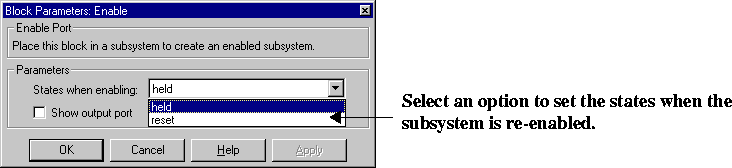
Outputting the Enable Control Signal
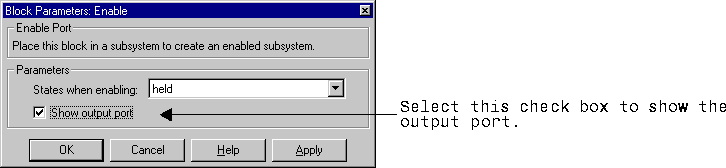
An option on the Enable block dialog box lets you output the enable control signal. To output the control signal, select the Show output port check box: