| SB2SL | Search Help Desk |
Limitations
No translator can completely convert an optimally designed SystemBuild model into a optimally designed Simulink model. There are subtle differences in the way that the two tools work that prevent faithful translation of all capabilities. However, this tool does the job of converting basic blocks and hierarchy from one tool to the other in a form that can be simulated. The following are limitations of SB2SL:File Formats
SB2SL cannot read SystemBuild files stored in the binary file format.Blocks Not Converted to Simulink
SB2SL converts the following SystemBuild blocks into blocks that are not directly usable with Simulink: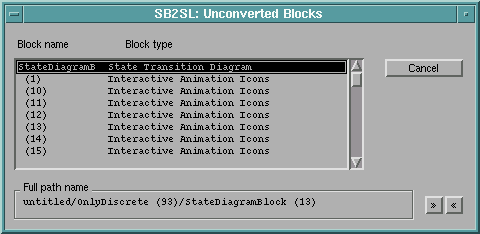
Suggestions for Handling Unconverted Blocks
You can implement all of the SystemBuild operations represented by the Unconverted blocks on your Simulink diagram using MATLAB, Simulink, and, in some cases, other related products. Here are some suggestions for replacing the Unconverted blocks with ones usable for simulation with Simulink:replace_block to replace the Unconverted
block in the Simulink model.