Component
Report
Category
none
Description
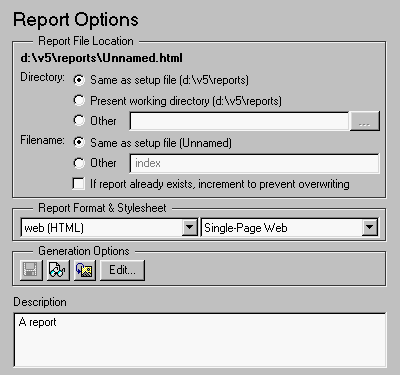
The Report component is the top-level component in the setup file. This component lets you specify the following output options:
The Report component is always the first component in the setup file and cannot be moved, deactivated, added, or deleted.
Attributes
This is the Report Options attribute page.
 Note:
Note:
To view the Report attribute page in the Setup File Editor, select the Report component in the setup file outline on the left and click on the Options tab.
This component is discussed in detail in Chapter 2.
Insert anything into report?
No.
Filename
coutline
[ Previous | Help Desk | Next ]