| Report Generator | Search Help Desk |
Starting the Component Creation Wizard
To open the Component Creation Wizard, typecompwiz at the command line.
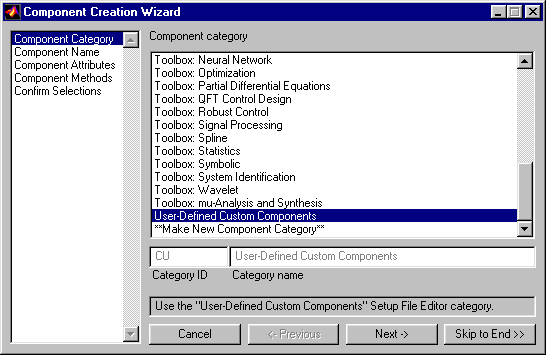 The list box on the left side lists five pages that you should complete when you are creating a component. Although you should complete all five pages, you can skip ahead at any time if you prefer.
The five pages are:
The list box on the left side lists five pages that you should complete when you are creating a component. Although you should complete all five pages, you can skip ahead at any time if you prefer.
The five pages are:
Tutorial Overview
This chapter discusses these options in detail, and uses a tutorial to guide you through the process of creating a new component. In this tutorial, you will create a component that will produce a plot and insert the plot into a report. You will use the Component Wizard to create the skeleton component, which consists of a directory and M-files or methods. Then you will edit the component's M-files to complete the component.