| Report Generator | Search Help Desk |
Using the Command Line
You can generate a report from the command line by typingreport <SetupFileName> in the MATLAB command window.
For example, if you type report ch1 tutorial you will get the report shown in Chapter 1.
If you type report ('<SetupFileName1>','<SetupFileName2>',...), the corresponding reports are generated and the report names are displayed in the MATLAB window.
If you type report without any input argument, the Generate a Report user interface (UI) appears. The Generate a Report UI lists all the setup files you have on your path.
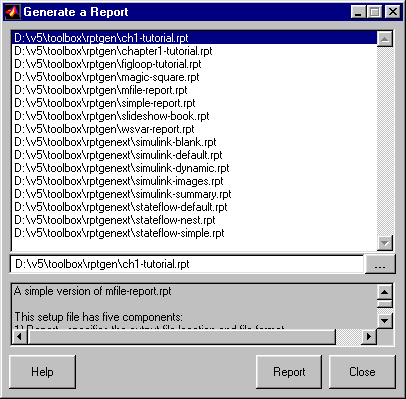 Note that a user-supplied description of the selected setup file appears in a text box at the bottom of this window.
To generate a report, select a setup file and click on the Report button.
Note that a user-supplied description of the selected setup file appears in a text box at the bottom of this window.
To generate a report, select a setup file and click on the Report button.